 Mastering Chain
How to master AI-generated songs on iPhone
A song from an AI music generator comes out as a finished stereo mix, so you can master it like any other: an even tone, a loudness that suits streaming, and peaks that stay under the ceiling once the song is encoded. Here is how to do it in Mastering Chain, and what mastering can't fix.
What a generated song usually needs
Songs from generators such as Suno arrive as one stereo file. Some are ready to upload; many need the same finishing as a mix from a DAW.
- A harsh top end. Cymbals, distorted guitars and vocals can sound fizzy or glassy. A gentle EQ cut in the upper range can soften them.
- Loudness. Generators hand out songs at different levels. Streaming services turn loud songs down, so you can aim for the level the music wants rather than the loudest one. The guide has the numbers for Spotify, YouTube and Apple Music.
- Peaks after encoding. A loud master can go over 0 dBTP once it's turned into an MP3 or AAC, the way streaming services encode it. The export shows the true peak of the encoded file.
Step by step
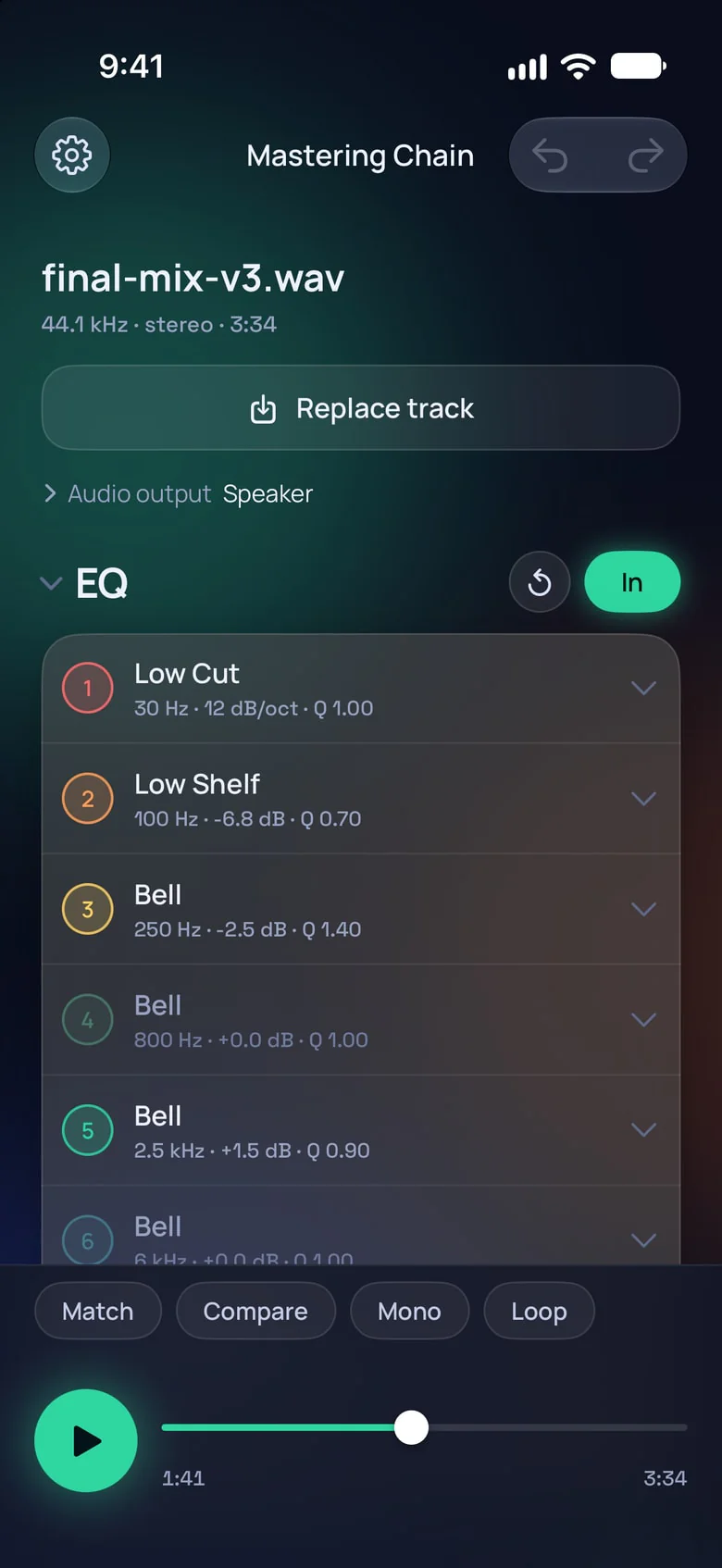
Master a generated song in Mastering Chain
Download the song as WAV if your generator offers it: an MP3 has already lost detail and adds artifacts of its own. Save it to Files or AirDrop it to your iPhone.
Tap Import track and pick the file. Tap play and turn Loop on.
If the cymbals or the vocal sting, you can try a High Shelf from about 6–8 kHz at −1 to −3 dB, or a narrow Bell cut where it's sharpest. Turn Match on and switch the EQ in and out: if the cut only makes the song duller, take it back.
Generated songs often arrive already compressed. If the bus compressor's GR barely moves, you can leave it out; otherwise a 2:1 ratio with an attack of 10 or 30 ms glues without squashing.
Raise the limiter's Gain until the song is as loud as you want, with the clipper taking the sharpest peaks off first. Watch Short-term on the meter while you do it.
Use Compare with Match on: you hear the original and your master at the same loudness, so you judge the sound, not the volume.
Press Reset on the meter and play the whole song for its integrated loudness.
Tap Export track and choose WAV 24-bit for your distributor.
The guide explains every control on this screen and its range.
Check the peaks after encoding
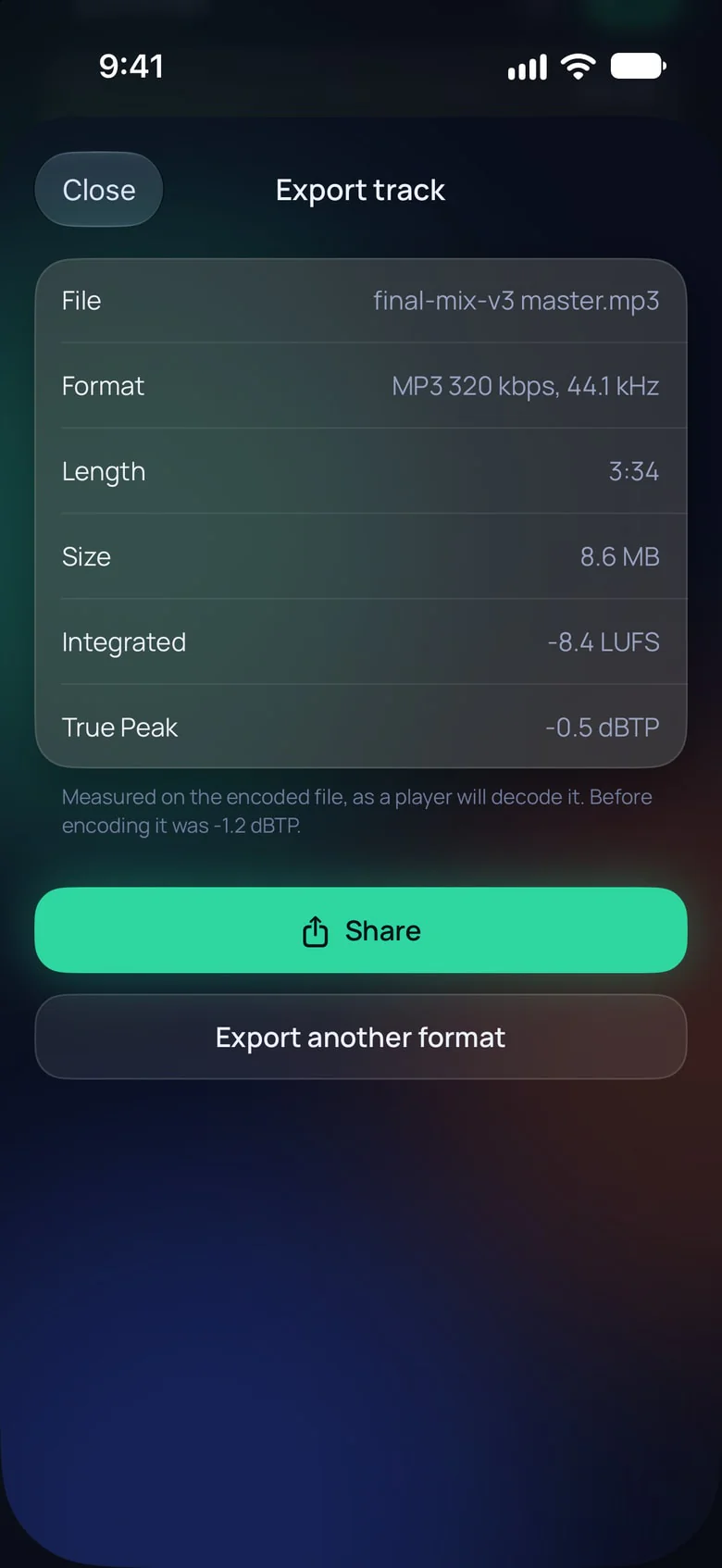
Streaming services encode your song before they play it, and a loud master can gain peaks on the way. When you export an MP3 or AAC, the summary measures the file as a player decodes it, next to the master's true peak before encoding.
If the encoded file goes over 0 dBTP, the summary says so. You can lower the limiter's ceiling a little and export again, until it stays under.
What mastering can't fix
Some generated songs carry a fizz, a metallic ringing or a swirl in the high end that the generator baked into the sound. Mastering works on the whole song, so it can't take that out: the limiter makes everything louder, the fizz included, and an EQ cut softens it but dulls the cymbals and the air with it.
You can regenerate the part that sounds worst, or download the song again as WAV rather than MP3. If your generator gives you stems, you can mix them in a DAW and treat the instrument the fizz comes from, then master the result.
Before you upload
Check that your generator's plan lets you release the song: on some plans, songs are for personal, non-commercial use only.
Suno is a trademark of Suno, Inc. Mastering Chain and Lauthammer are not affiliated with Suno.
Master your next song
Free to download. Start the 3-day trial when you're ready.