 Speed TrainerOut now
Find your edge.
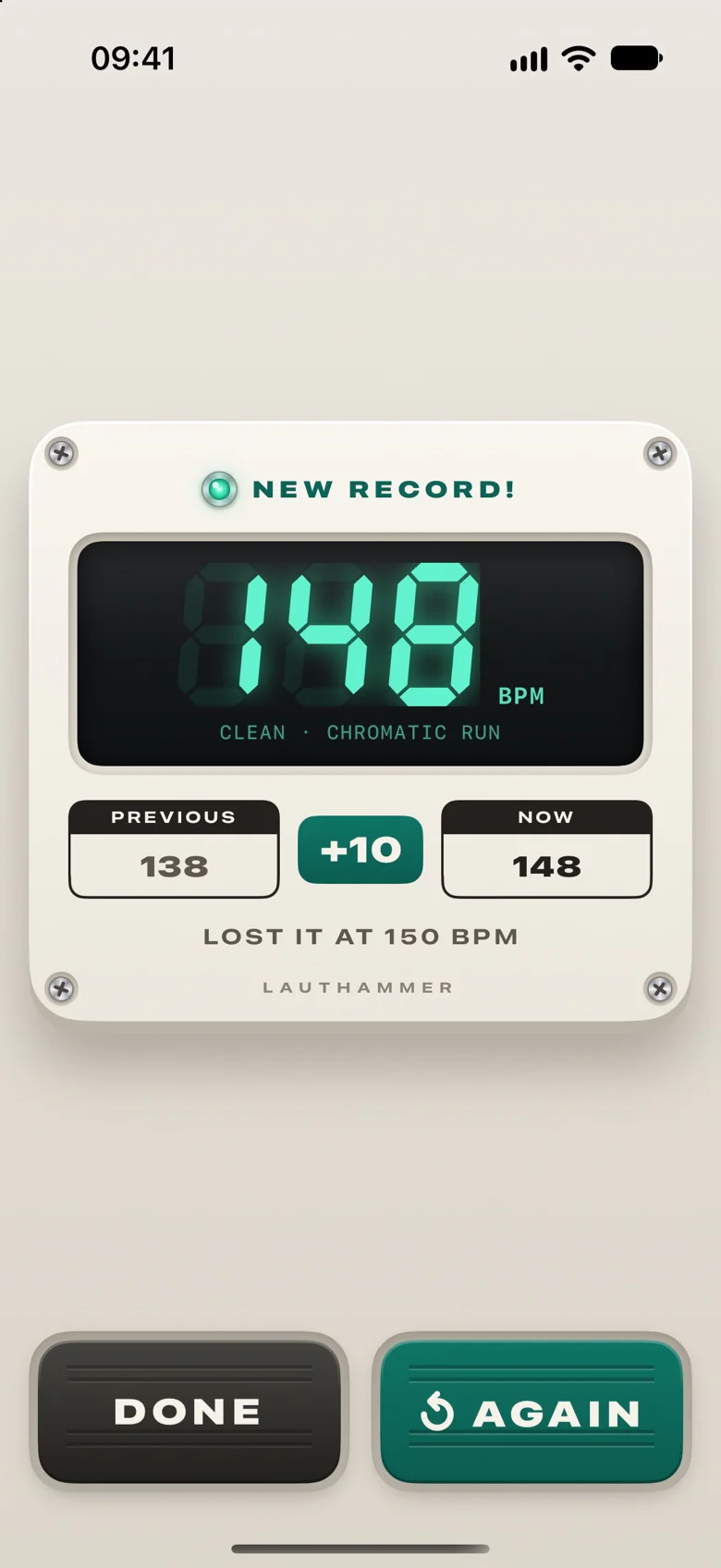
A metronome that speeds up step by step: a speed trainer for guitar, bass, drums, piano or anything you play. Tap Edge the moment you lose it, and the last clean step becomes your record.

Free download for iPhone · free metronome, no ads · 7-day free trial · $9.99 + tax once, no subscription
How it works
Climb. Lose it. Keep the record.
A slow ramp on a timer wastes practice. Here every session ends with a number you can beat.
Set the climb
A start tempo, the step up and how many bars each step lasts — with a step back now and then and a ceiling, if you want them.
Play as it climbs
The metronome speeds up only on the first beat of a bar, so you never lose your place. A count-in plays the first step's tempo.
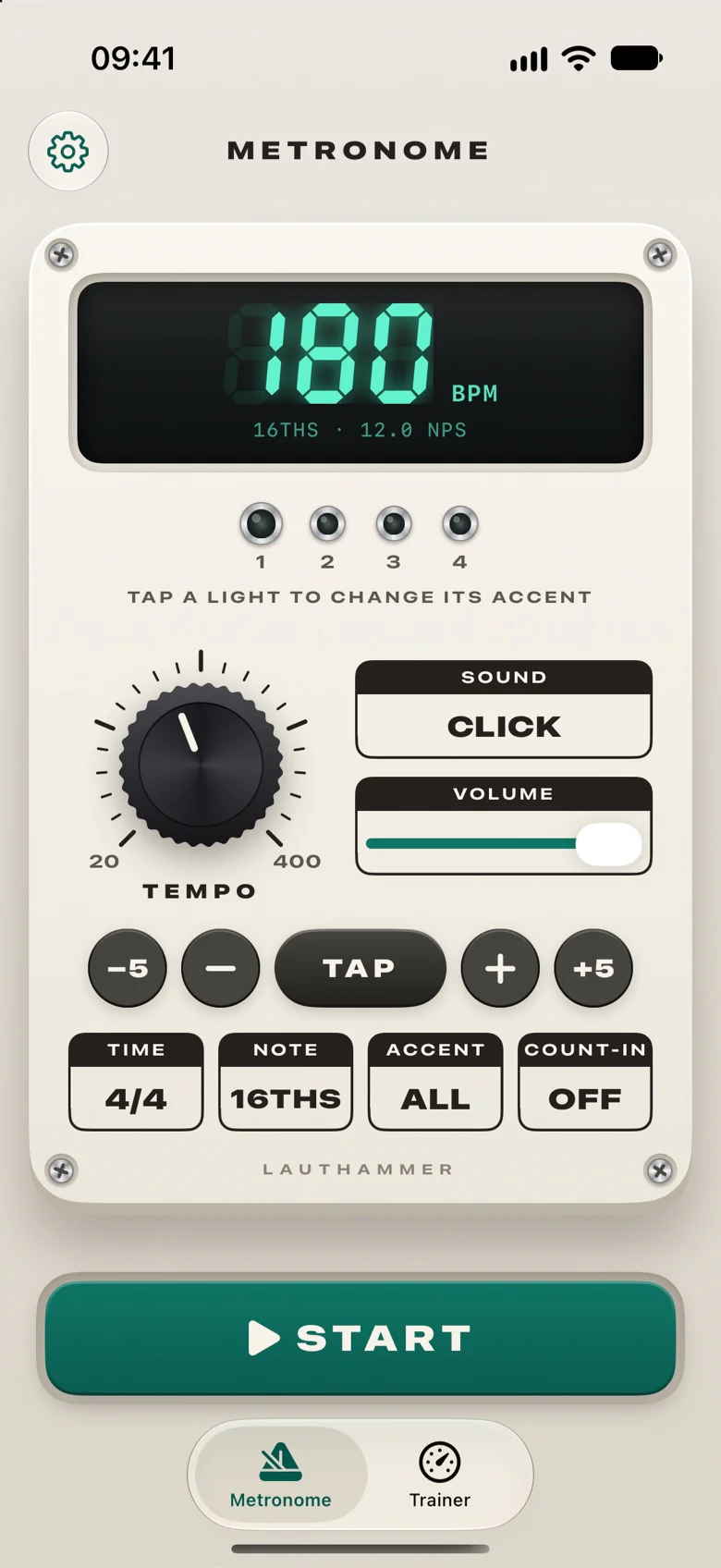
Tap Edge
The moment you can't keep up, tap Edge. The last step you played clean becomes your record.
Edge
One tap where you lose it
Edge counts when your finger lands, not when it lifts, and finds the step you were hearing — with your headphones' delay taken into account, AirPods too.
Records
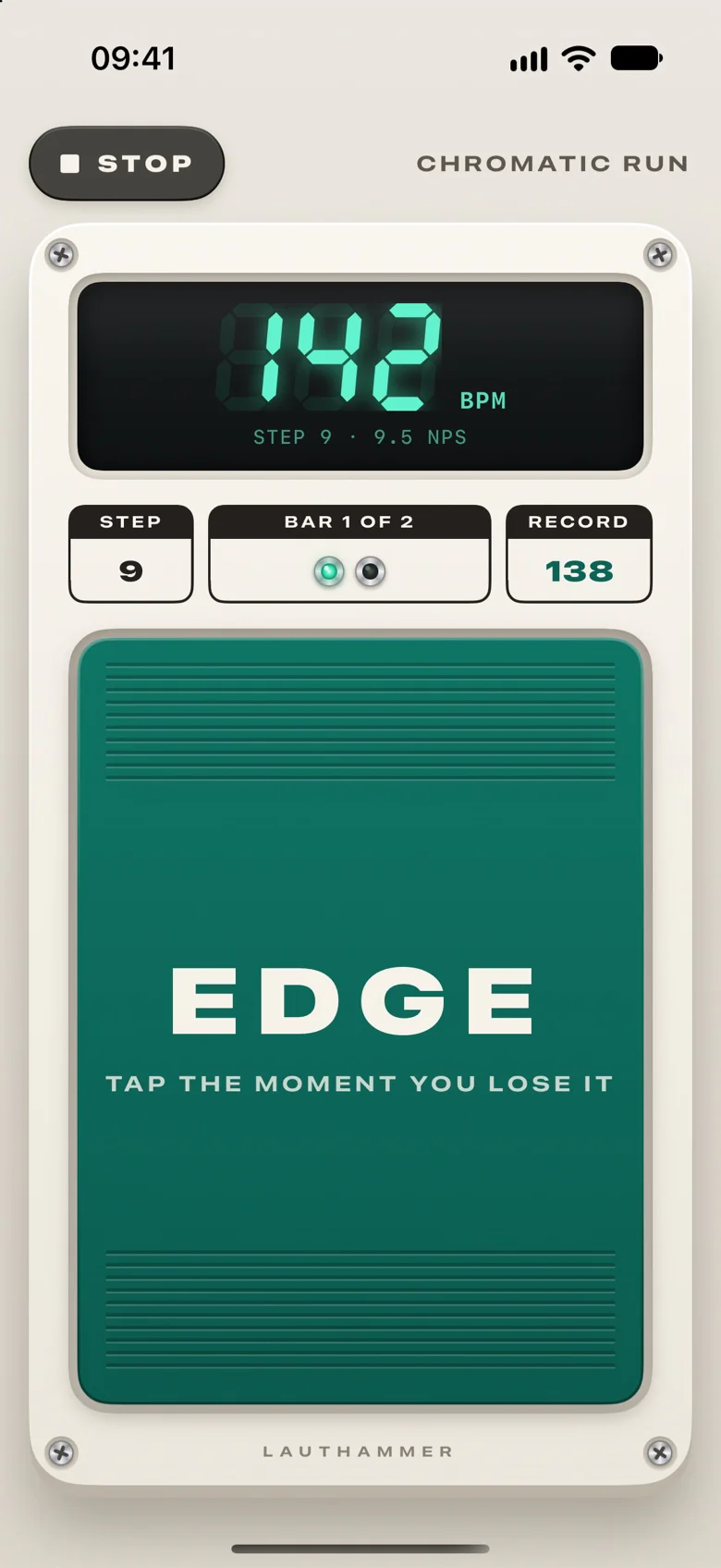
Proof you got faster
Every note value keeps its own record. Save a riff, a fill or a passage as an exercise with its own program, and watch the record climb on a progress chart.
- A record for every note value
- Exercises with their own program
- History and a progress chart
- Steps back and a ceiling in a program
- What was clean, and where you lost it
The metronome
A full metronome, free for good
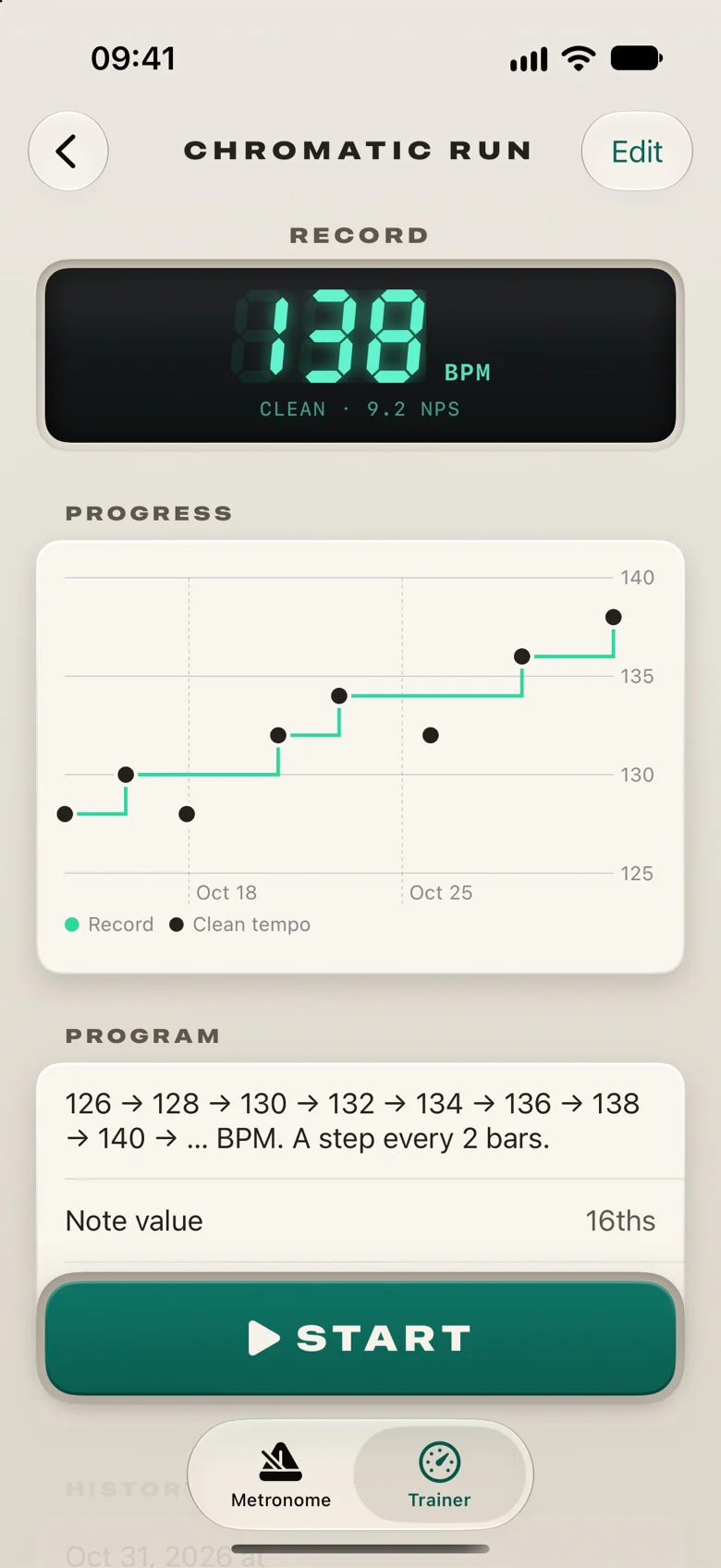
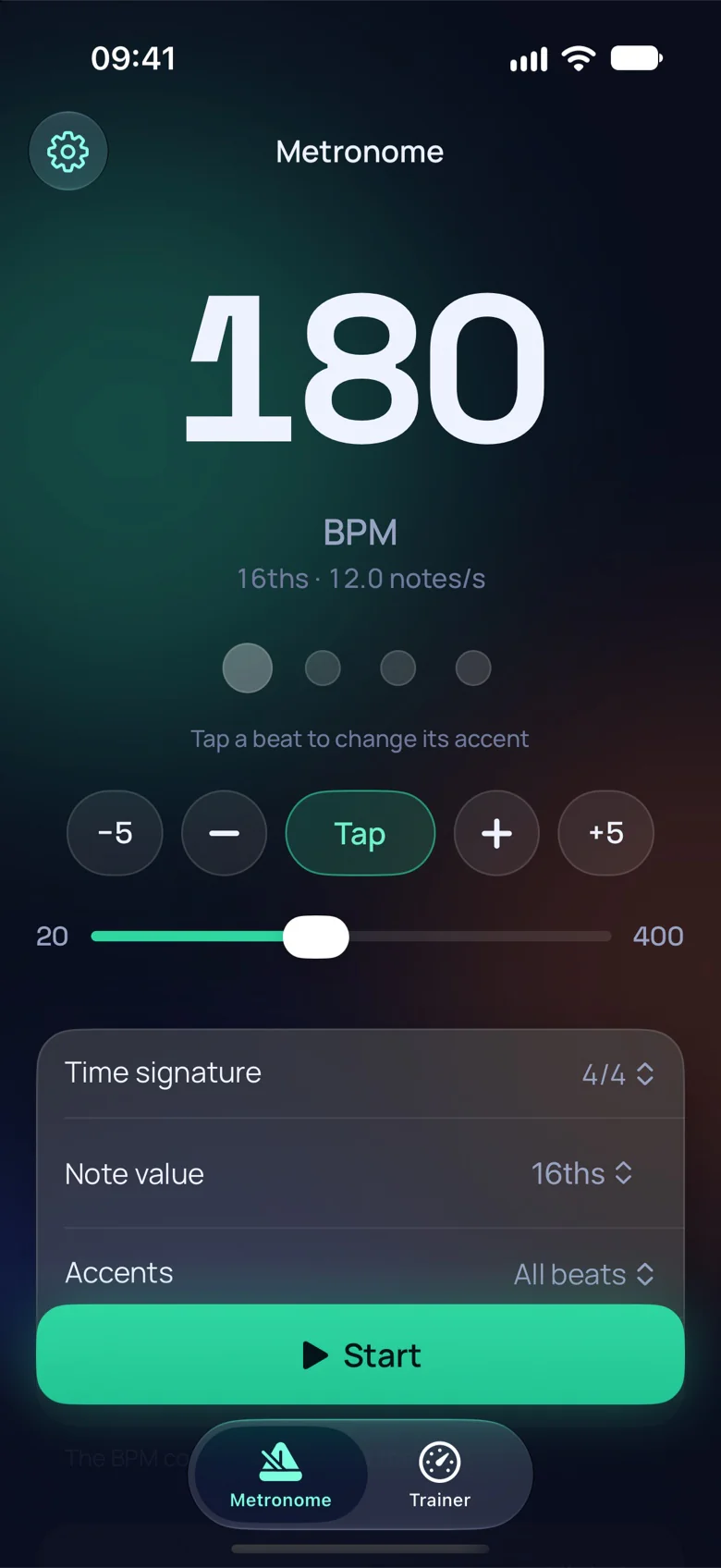
Every click lands on its exact sample, from 20 to 400 BPM. No ads, and it keeps playing in the background with the screen locked.
Every rhythm
Any time signature from 1 to 16 beats over 2, 4, 8 or 16. Subdivisions from quarters to 32nds, triplets to septuplets, and gallops.
Your accents
Accent, play or rest each beat, or pick All, 2 & 4 or 1 only. A count-in, tap tempo and four sounds.
Speed you can read
Notes per second next to the BPM, and the tempo in quarter notes in 7/8 or 12/8, as tabs give it.
Your look
Three looks of its own
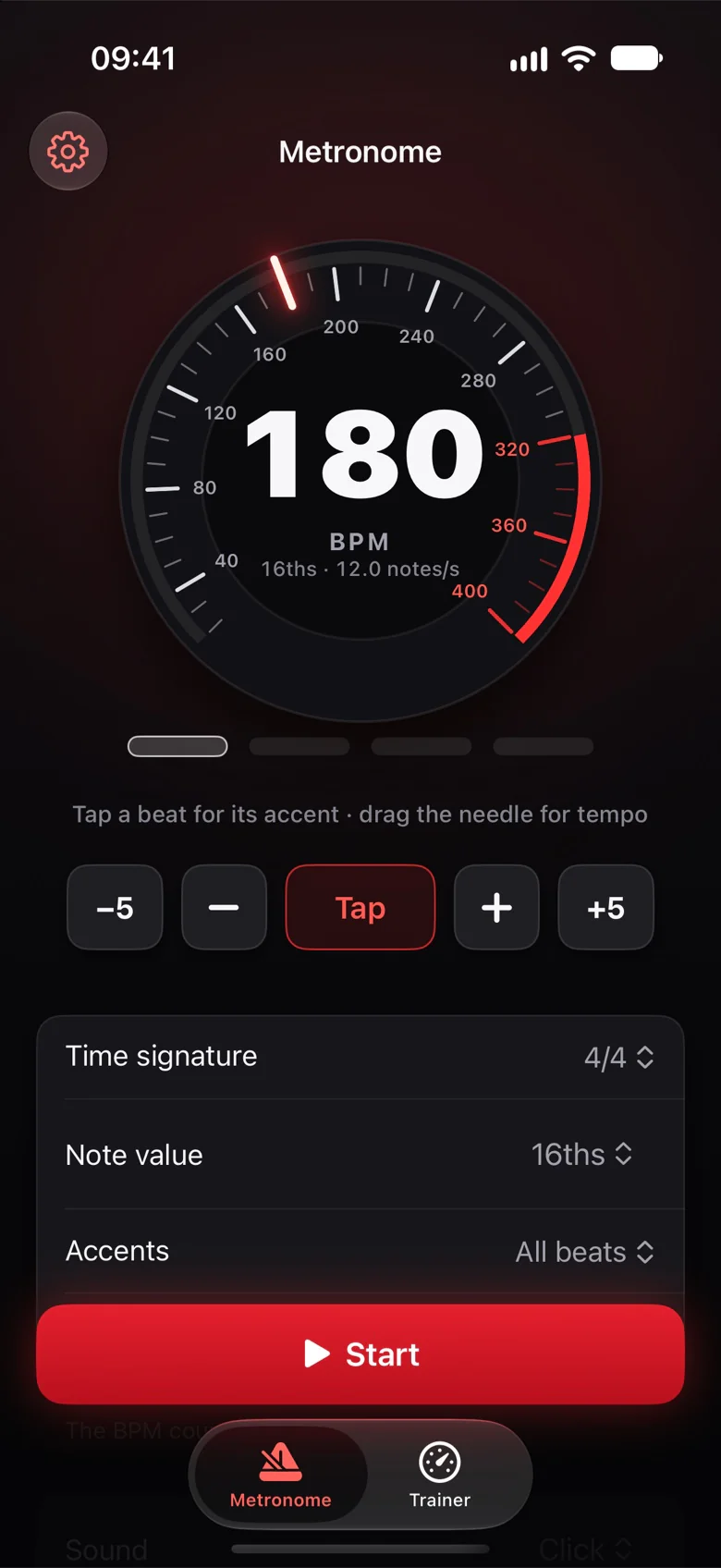
Stompbox, Midnight or Redline — or let it follow your iPhone with System, Light and Dark.
Stompbox
A cream pedal with a display and a knob
Pricing
Try it free. Pay once.
Free
$0
The metronome, free for good, with no ads.
- Every time signature and note value
- Accents, count-in and tap tempo
- Four click sounds
- Plays with the screen locked
Pro
$9.99 + tax, once
The whole speed trainer, and every update to it.
- Edge and a record for every note value
- Exercises with their own programs
- History and progress charts
- A Bluetooth pedal or keyboard as Edge
Start a 7-day free trial when you're ready. Nothing is charged. No subscription. Your records and their history stay after the trial. The App Store shows the final price for your country.
FAQ
Questions
How does it find my top tempo?
The tempo climbs by the step you set, every few bars. When you can't keep up any more, tap Edge. Speed Trainer takes the step you were hearing at that moment — your headphones' delay included — and your record is the fastest step you played through before it.
Can the metronome speed up gradually?
Yes, that's the speed trainer, part of Pro with a free trial. Set a start tempo, a step up (say 2 BPM) and how many bars each step lasts. The tempo rises on the first beat of a bar until you tap Edge, or holds at a ceiling if you set one.
How do I build speed on my instrument?
Whether it's a riff, a drum fill, a piano run or a sax lick: start at a tempo you can play clean and raise it a few BPM at a time. Speed Trainer does the raising for you: you tap Edge where it falls apart, and your record shows whether your clean tempo really goes up.
Does it listen to my playing?
No. There's no microphone: you know when you lost it, and you tap Edge. That works with any instrument, amp or headphones.
Does it work for drums, piano or other instruments?
Yes, for anything you play: guitar, bass and ukulele; drums and percussion; piano and keys; violin, viola and cello; saxophone, clarinet, flute, trumpet and trombone; vocals too. With your hands busy, tap Edge as soon as you stop, or use a Bluetooth pedal.
Can I use a Bluetooth pedal?
Yes. During a session any key of a Bluetooth keyboard is Edge, so a page-turner pedal in its keyboard mode keeps your hands on the instrument.
Is the metronome really free?
Yes, all of it, for good, and with no ads. The speed trainer needs the free trial or Pro.
How does the free trial work?
You start the 7-day trial in the app when you're ready; nothing is charged. When it ends, sessions and changes to exercises stop until you get Pro for $9.99 plus tax, once, with no subscription. Your records, their history and the metronome stay. The App Store shows the final price for your country.
Does it keep playing with the screen locked?
Yes. The click keeps going in the background, and you can stop and start it from the lock screen or your headphones.
Does it work with AirPods?
Yes. Wireless audio arrives 150–250 ms late; Speed Trainer allows for the delay iOS reports, so the lights and Edge follow what you hear.
Where are my records kept?
On your iPhone and in its backup. There's no account and nothing on our servers.
Which iOS version do I need?
iOS 18 or later. You'll find your iPhone's version in Settings → General → About.
Is there an iPad or Android version?
Speed Trainer is made for iPhone. There's no Android version for now.
Try it at your next practice
Free to download, and the metronome stays free. Start the 7-day trial of Pro when you're ready.